CHMOD Lab

Visual Linux Permissions Calculator.

Stop guessing octal codes. Visualize permissions instantly.
Built for SysAdmins, Developers, and Students who need accuracy offline.
App Icon

Master Linux Permissions. Stop Guessing.

The ultimate interactive calculator and handbook for SysAdmins, DevOps, and Students. Visualize permissions, generate commands, and learn the logic behind the terminal.

CHMOD Lab is the missing manual for file permissions. Whether you are setting up a web server or learning Linux for the first time, this tool helps you calculate Octal codes, understand Symbolic notation, and generate the perfect command instantly.

Visual Calculator

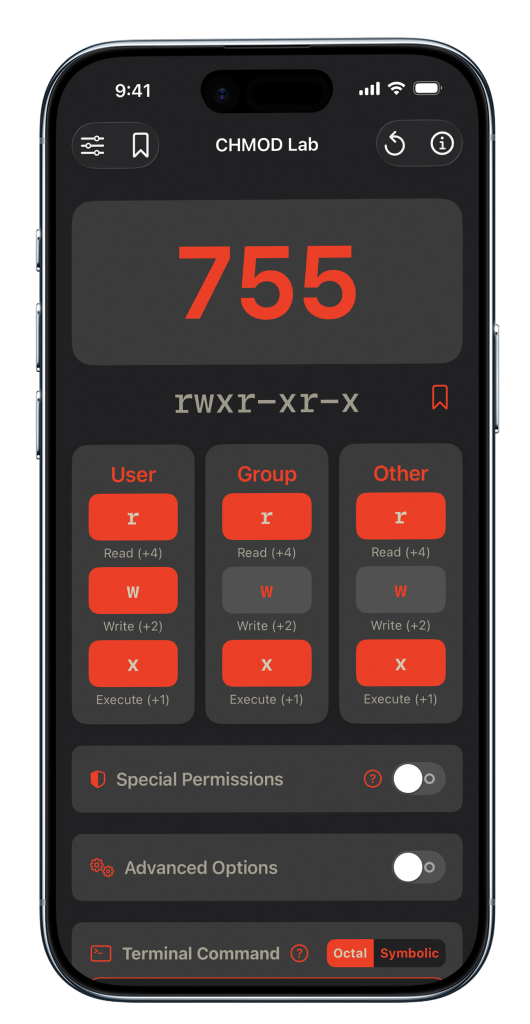
Toggle Read, Write, and Execute bits visually. Watch the Octal (755) and Symbolic (rwxr-xr-x) values update in real-time. No more mental math errors.

Octal & Symbolic Support Whether you prefer the precision of numbers (777) or the clarity of letters (u+x), CHMOD Lab handles both. Switch modes instantly to see how they translate to one another.

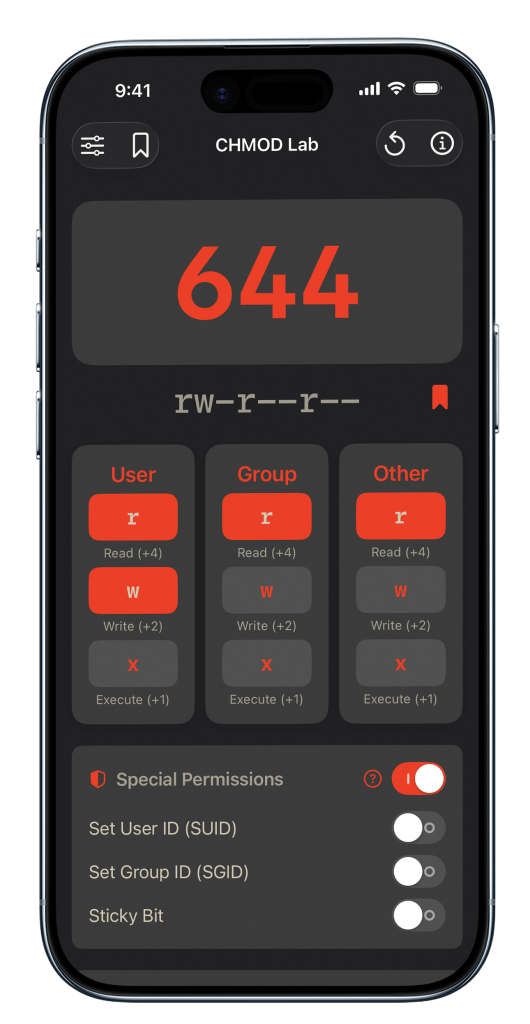
Education First The "Special Modes" section helps you understand advanced security concepts like SetUID (4), SetGID (2), and the Sticky Bit (1)—critical knowledge for any serious Linux administrator.

The Ultimate Toolkit

From instant calculations to air-gapped security. Everything you need to master chmod without the risk.

Interactive Sandbox

Stop doing mental math. Toggle the Read, Write, and Execute checkboxes instantly and watch the Octal (755) and Symbolic (rwxr-xr-x) values update in real-time.

Built-in Handbook

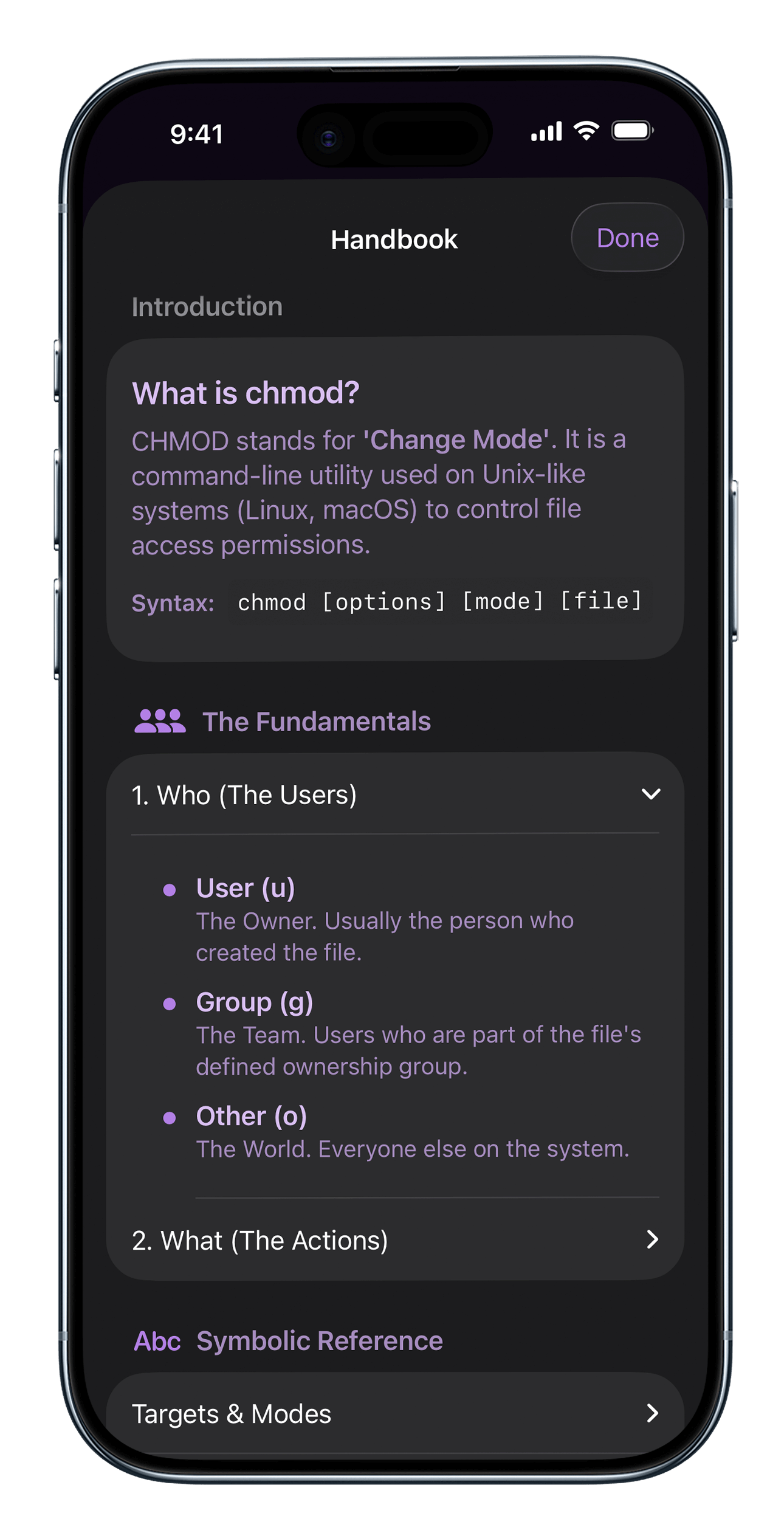
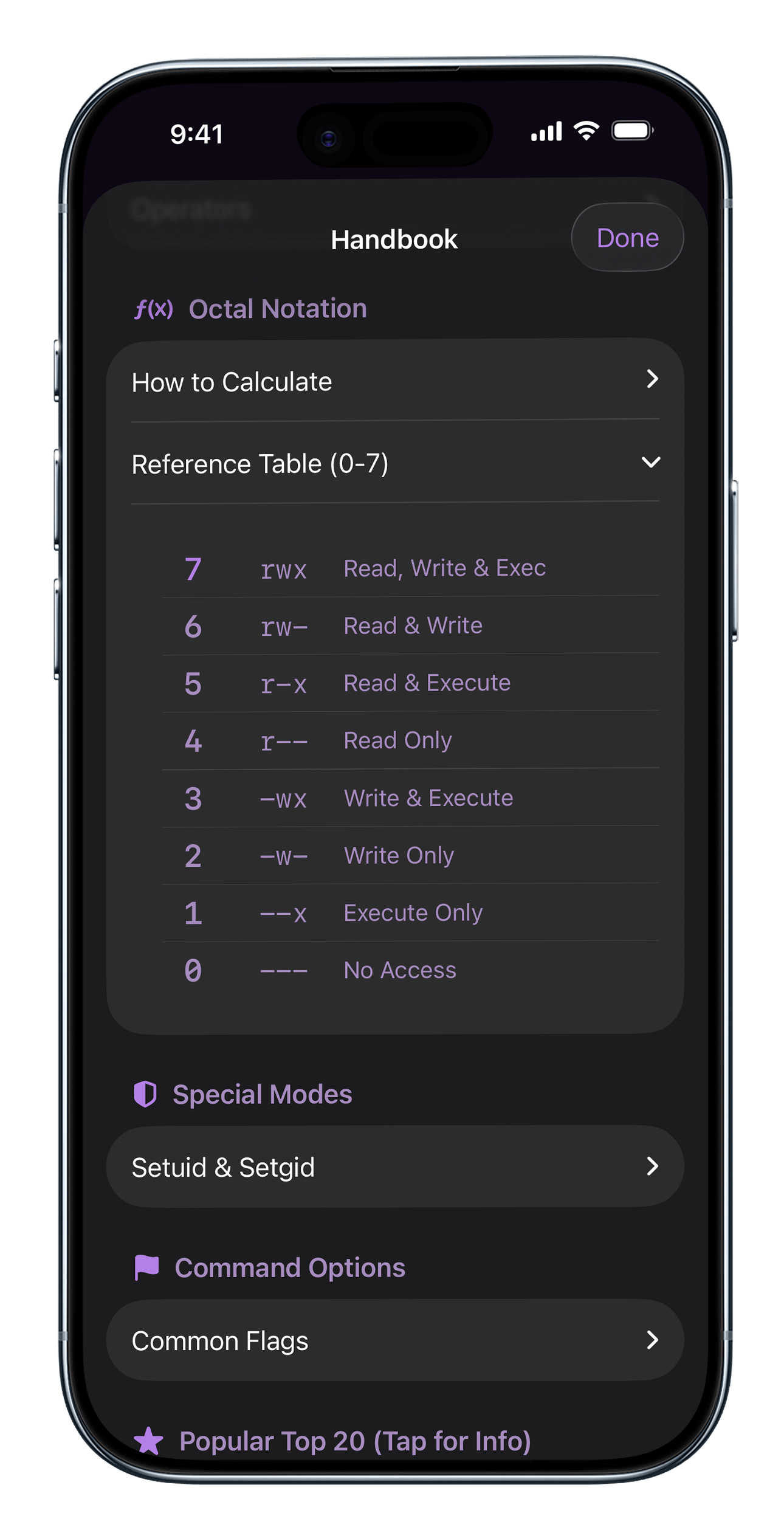
Forget Googling "chmod cheat sheet." The app includes a complete offline reference guide with calculation logic, common flags, and a library of the top 20 most used commands.

Smart Clipboard

Don't just calculate numbers—generate commands. With one tap, copy the full syntax (e.g., chmod -R 777 ./var/www) directly to your clipboard, ready for the terminal.

6 Custom Themes

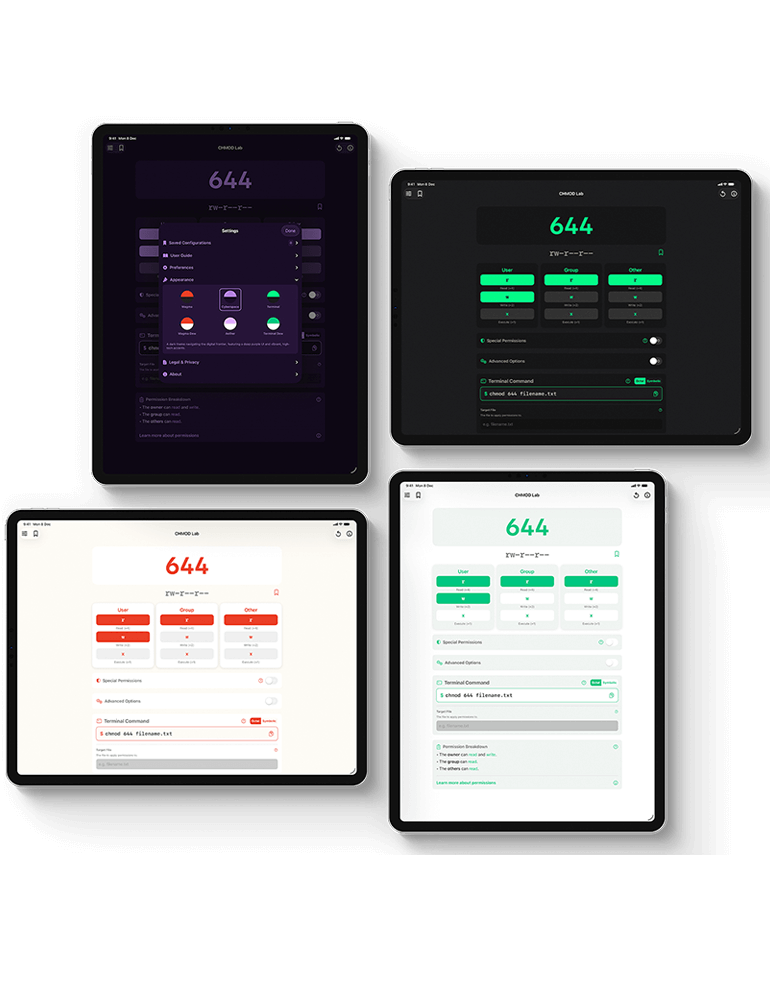
Your workspace, your style. Switch between 6 professional skins, including the high-contrast Magma, the retro-green Terminal, and the sleek Cyberspace.

Advanced Bits

Go beyond the basics. We fully support special permission bits including SetUID (4), SetGID (2), and the Sticky Bit (1), giving you total control over the 4-digit format.

Air-Gapped Safe

Built for security-conscious environments. CHMOD Lab runs 100% offline with native Swift code, ensuring your server configurations never leave your device.

Built-in Handbook

The app includes a complete offline reference guide with calculation logic, common flags, save settings and a library of the top 20 most used commands.

Easy to Find & Share Files

Demystify Linux permissions by understanding exactly who you are granting access to.

Reference Tables
Reference Tables

Quick lookups for common values.

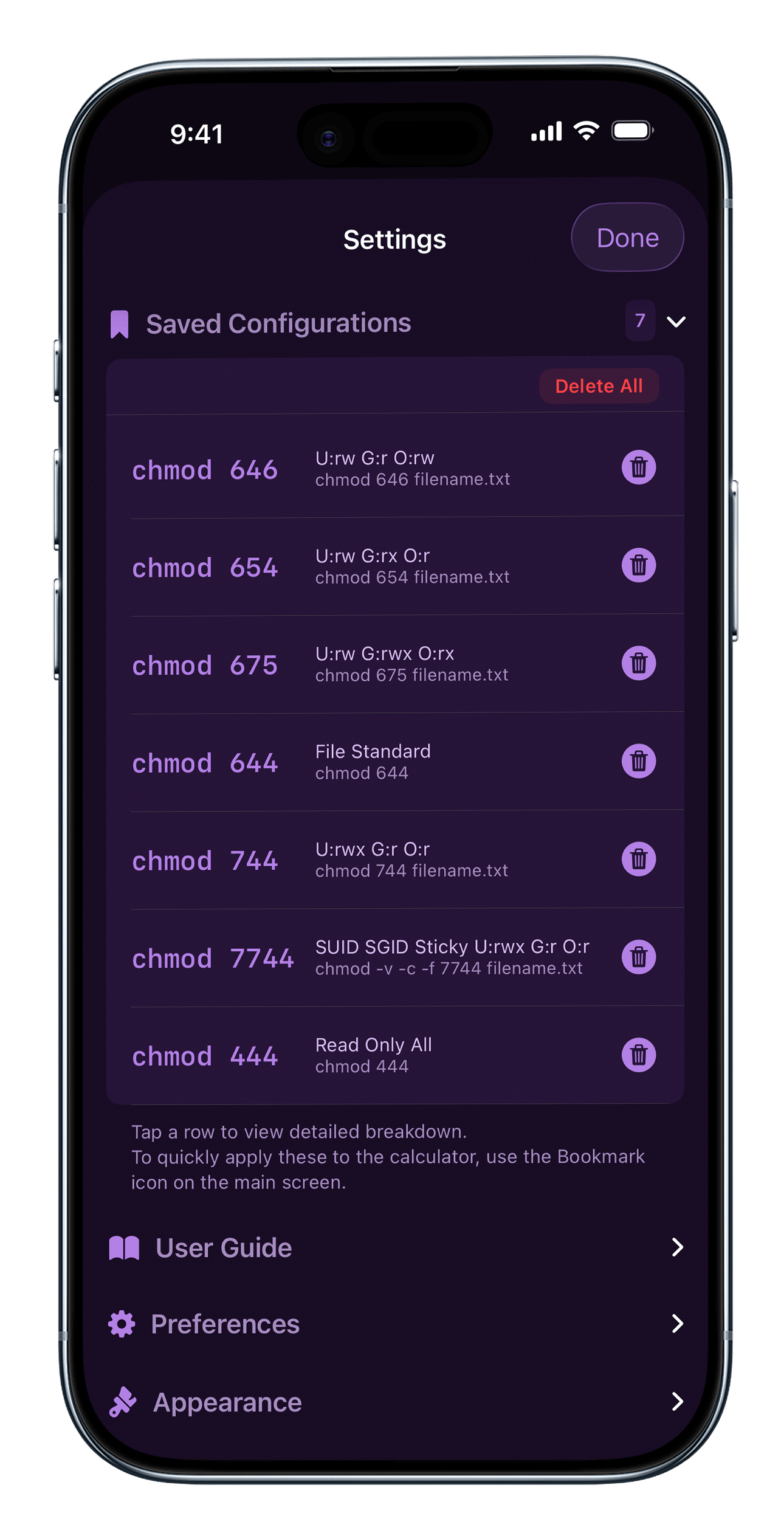
Saved Configuration
Saved Configuration

Tap on a saved to view full card

Visual Themes

Designed for Your Environment CHMOD Lab looks great in the server room or under the sun. Choose from 6 stunning, professionally designed themes to match your setup.

Dark Mode Collection

  • Magma: High-contrast visuals with our signature "Ignite Red" accents. Perfect for late-night coding.
  • Cyberspace: A cool, neon-infused aesthetic inspired by modern sci-fi interfaces.
  • Terminal: The classic hacker look. Green-on-black retro aesthetics for the purists.


Light Mode Collection

  • Magma Dew: A clean, crisp, and bright variation of our flagship theme.
  • Aether: Soft, airy, and minimal. Designed for focus and clarity.
  • Terminal Dew: The retro vibe, reimagined for daylight. High legibility with a vintage touch.

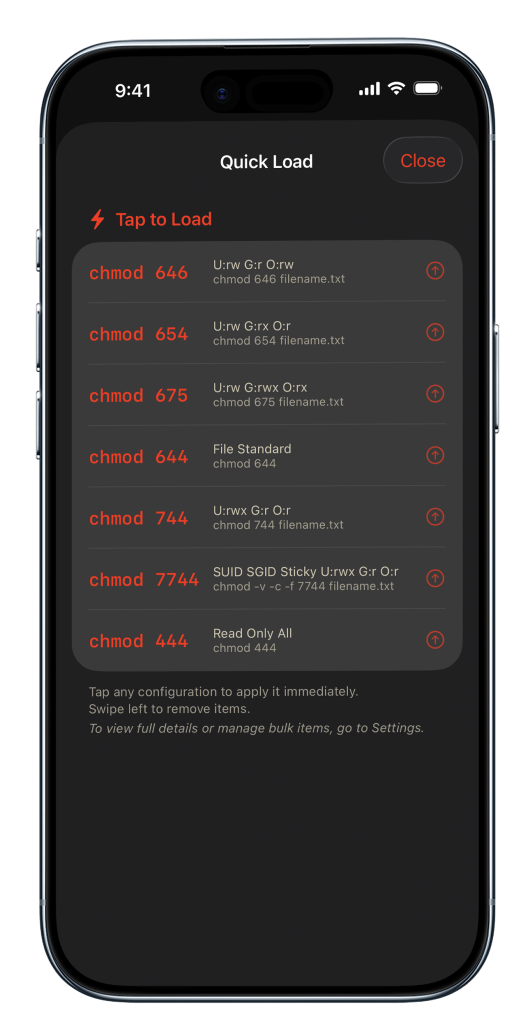
One-Tap Configuration Deployment

Streamline your workflow with saved permission profiles.

Eliminate repetitive syntax entry. Our Quick Load library lets you store and label complex chmod configurations. Build a library of standard environment profiles (e.g., Production, Staging, Local) and deploy them to files or directories instantly. It’s the fastest way to ensure consistency across your file system without memorizing octal codes.

Writing a review? Download the media kit.

Questions? Look Here.

Some questions about CHMOD Lab answered the most below

  • Can I copy the full command or just the number?

    Both! You can copy just the permission code (e.g., "755") or the full command syntax including flags (e.g., chmod -R 755 filename).

  • What is the "Saved Configuration" feature?

    This allows you to bookmark specific permission sets. If you manage multiple environments, you can save a "Production Web Server" card (755) and a "Private SSH Key" card (600) and switch between them instantly without recalculating.

  • Does it work offline?

    Absolutely. CHMOD Lab is a native utility. It requires no internet connection, no login, and sends no data to the cloud. It is completely air-gapped safe.

  • What is included in the Handbook?

    The Handbook is your offline textbook. It covers everything from the basic "4-2-1" calculation logic to a reference table of the "Top 20 Popular Commands" used by professionals worldwide.

  • How do I change themes?

    Go to Settings to toggle between our 6 custom skins. Whether you prefer the intense heat of Magma, the retro cool of Terminal, or the clean look of Aether, there is a style for you.

  • Does CHMOD Lab works Offline

    100% Offline. No servers, no tracking, no accounts. The app works perfectly without an internet connection.

Keep this tool
in your pocket
Scan to GET the app on iPhone
Scan to GET app
CHMOD Lab Icon
CHMOD Lab Master Linux Permissions. Free.
GET
Launch login modal Launch register modal